
All your accounts, one app
Add as many as you like. Star, archive or bin something here and it changes everywhere else too.
A small, fast, free email app for Windows. All your accounts in one place, and you can run the whole thing from the keyboard.
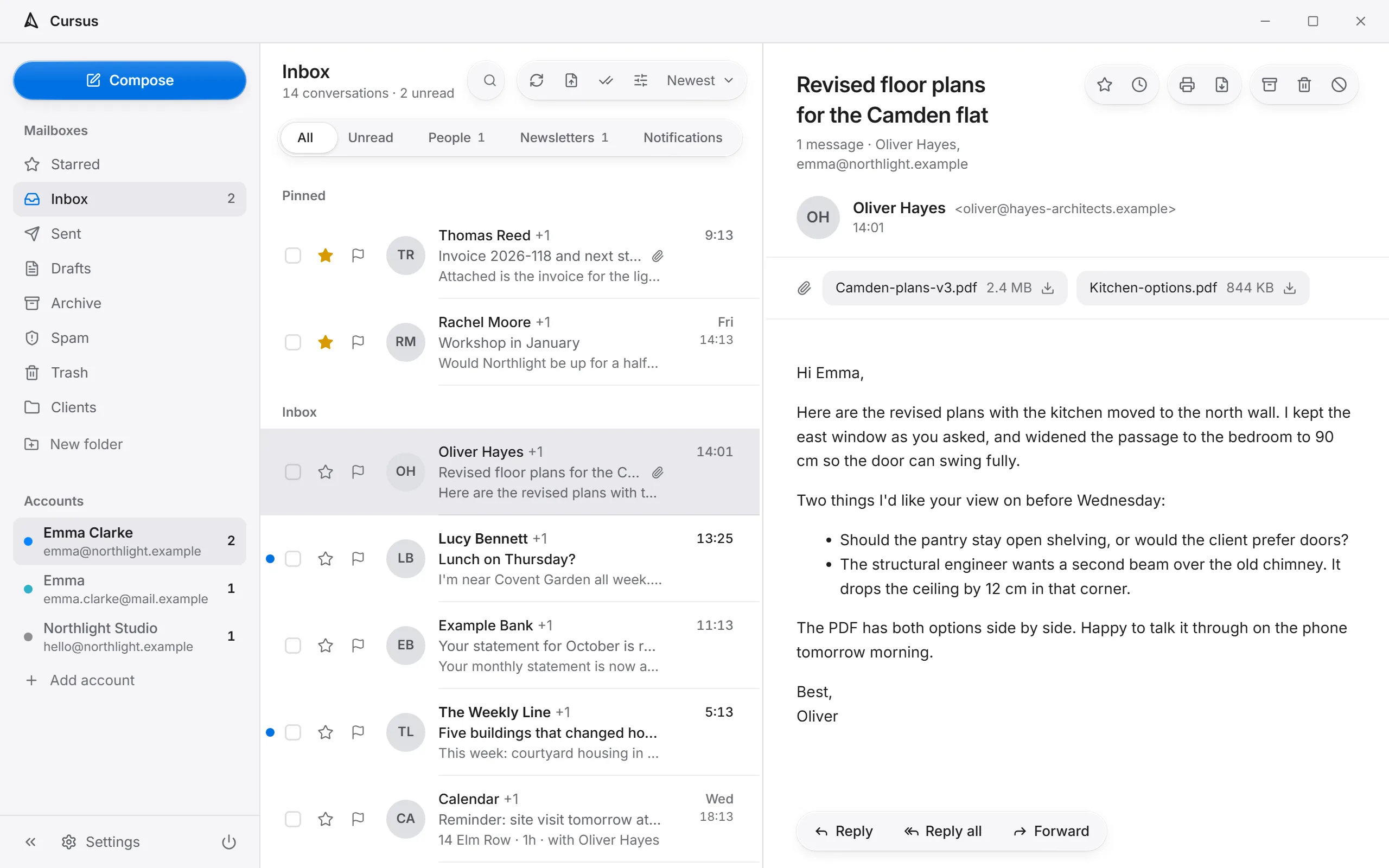
Add as many as you like. Star, archive or bin something here and it changes everywhere else too.

Replies gather into one view. Older messages fold away, so a long thread still reads like a conversation.

Walk the inbox with j and k. Reply with r. Archive with e. The mouse is optional.
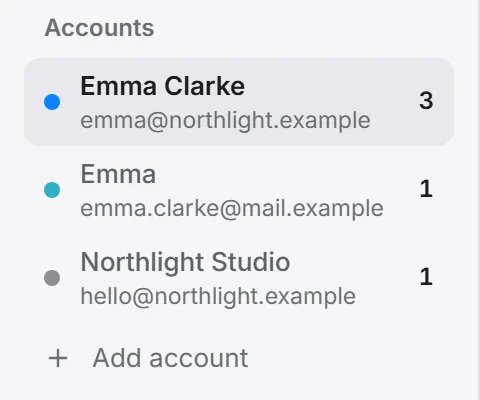
Work, personal, the shared address you keep forgetting. Each one sits in the sidebar with its own unread count. Send through SMTP or Resend, whichever you prefer, per account.
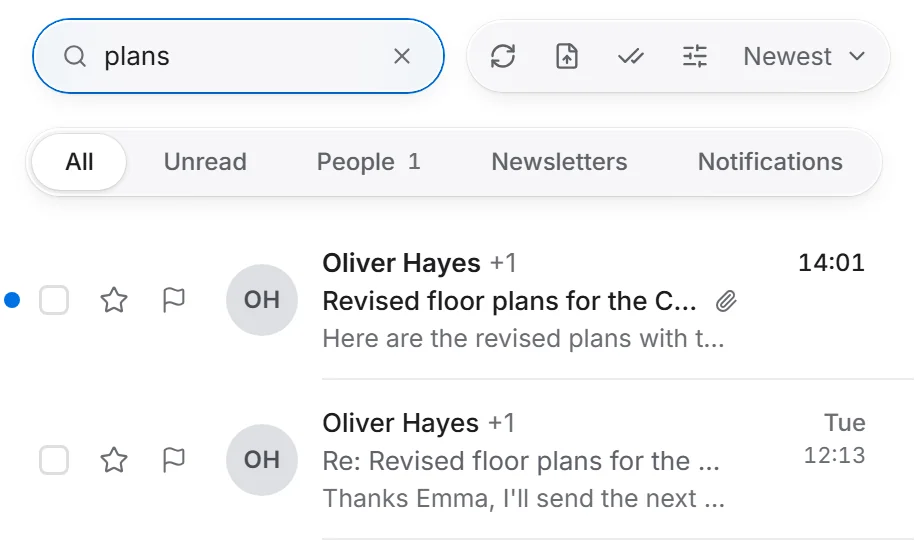
Press Ctrl+K anywhere and type half of what you remember. It looks through subjects, senders and message bodies, and the right message shows up before you finish. Fast even with thousands of messages, and the same across every account.
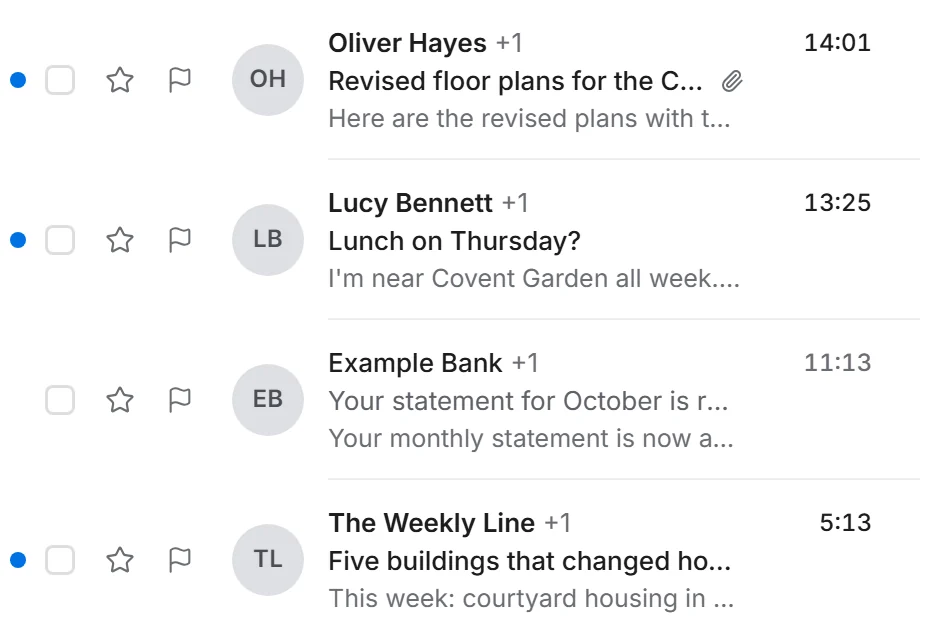
Unread mail gets a dot and heavier type. Pinned mail stays on top, and tabs keep people apart from newsletters and notifications.
Most things take one key. Move, open, reply, archive, send, search. They are grouped by what they do, so you stop thinking about them fairly quickly.
$ claude mcp add cursus -- ./cursus-bridge mcp
Added stdio MCP server cursus

list_accounts   the accounts you set up
list_messages   recent mail, per folder
read_message    headers, body, attachments
send_email      as one of your accounts
move_to_trash   never deleted for good
An optional second app that sits next to Cursus. Point Claude or a script at it and it works with the accounts you already have. Leave it out and nothing changes.
A mail app should read mail. Everything else that crept into the others only made them heavier.
No smart reply, no summaries, no sorting done for you. If you want that, the bridge is there.
Your data stays on your machine. Move it yourself, or don't.
No usage pings, no analytics, no crash reports. Just your mail servers, and this site when it looks for a new version.
Remote images stay blocked by default, so senders don't find out when you opened it.
No tier above this one, no trial running out, no Pro version waiting.
| App | Price | What you get for it |
|---|---|---|
| Superhuman | €30/mo | Premium positioning, status pricing. |
| Spark Pro | €22/mo | The free tier keeps nudging you upward. |
| Polymail Premium | $24/mo | Built for sales teams. Read receipts and tracking pixels included. |
| HEY For You | $99/yr | Pay to use one inbox at a fixed @hey.com address. |
| Canary Pro+ | $100/yr | Privacy as the headline, paywall as the gate. |
| Mailbird Premium | €55/yr | Windows mail that keeps suggesting you pay more. |
Cursus checks at startup and shows you what changed. It only swaps over when you say so.
Everything it keeps sits in one folder next to the app. Move the folder and the whole thing moves with it.
Lost the connection? The message waits in the outbox and leaves as soon as you are back online.
Yes, all of it. No trial, no Pro edition, nothing behind a login.
Any account you can reach over IMAP. To send, use SMTP or Resend, chosen per account.
In the system keychain, never in plain text inside the app.
Only to your own mail servers, and to opencursus.app when it looks for a new version. No usage data, no crash reports.
No. Cursus works on its own. The bridge is only for people who want scripts or an assistant like Claude to work with their mail.
Free. No account, no signup. Point it at your mail and start reading.